Multi Vector Retriever
On this page
Level: Advanced · Reading time: 7 min · Phase: 2 — Advanced RAG
In one line: A multi-vector retriever stores several different vectors for each document (summary, questions it answers, small pieces) but returns the full original document when any of them matches.
Before you start: Embeddings and Chunking. You should know that text is turned into vectors for search, and that documents are cut into pieces.
Explain it like I'm new
A book can be found in a library in many ways: by title, by the blurb on the back, by the index terms, by "readers who asked about X". Each is a different handle on the same book. Whichever handle you grab, you walk away with the whole book.
Normal RAG stores one vector per chunk. That forces a trade-off: the text you search with is the same text you give the LLM. But good search text (short, focused) and good answer text (complete, with context) are different. A dense table is hard to embed well, yet it is exactly what the model needs to see.
A multi-vector retriever separates the two:
- Index side: for each document, create several representations and embed each one. Examples: an LLM-written summary, 3–5 hypothetical questions the document answers, or small sub-chunks.
- Storage side: keep the original document in a docstore (a simple key–value store) under an ID.
- Each vector carries the document ID. At query time, match on any vector, then look up and return the original.
Words to know:
- Vector: a list of numbers that represents the meaning of a piece of text, used to find similar text.
- Representation (handle): one piece of text you embed for search, such as a summary or a question.
- Docstore: a simple key-value store that keeps the original documents under an ID.
- doc_id: the ID that links each vector back to its original document.
- LLM (large language model): the AI that reads and writes text.
Watch it
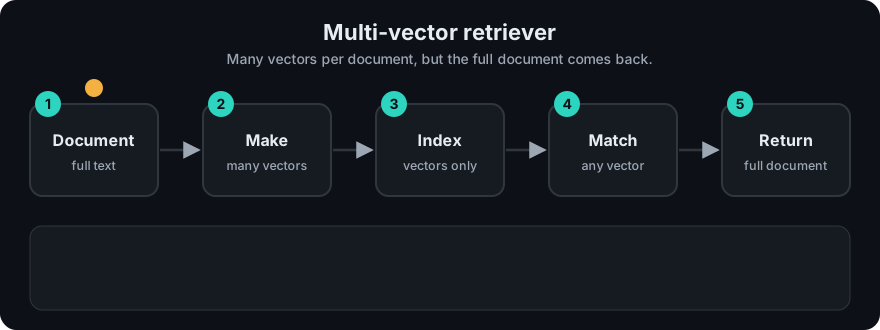
It plays on a loop. Read the caption in the box, one step at a time. Want to go at your own pace? Step through it with Previous and Next.
How it works
- For each document
doc_id, generate representations:summary,questions[],sub_chunks[]. - Embed every representation; store vector +
doc_idin the vector index. - Store the full document in the docstore:
docstore[doc_id] = text. - At query time, search the vector index for top k representation hits.
- Collect unique
doc_ids (in rank order) and returndocstore[doc_id].
flowchart LR
    D[Original doc #7<br/>long table] --> S[Summary]
    D --> Qs[Hypothetical questions]
    D --> C[Small chunks]
    S & Qs & C --> V[(Vector index<br/>each tagged doc_id=7)]
    D --> DS[(Docstore<br/>7 → full text)]
    Q[User question] --> V -->|hit doc_id=7| DS --> L[LLM gets full doc]
Worked example
Document plans is a pricing table. A table shares few words with a typical question, so it embeds poorly. Question: "how many users can the business plan have".
- At ingest, store the full table in the docstore under
plans. Also embed three handles, each taggedplans: a summary, "How much does the Team plan cost?", and "How many users can the Business plan have?". - At query time, the third handle shares the words "how many users can the business plan have" with the question, so it ranks first.
- That handle carries
doc_id = plans. Look updocstore["plans"]. - The LLM receives the complete table (the code prints it), not the short question that matched.
The handle is used to find the document and is then discarded.
Code example
import re

def words(t):
    return set(re.findall(r"[a-z0-9]+", t.lower()))

docstore = {
    "plans": "| Plan | Price | Seats |\n| Free | $0 | 1 |\n| Team | $12 | 10 |\n| Business | $30 | 50 |",
    "sso": "Single sign-on is configured under Admin > Security using SAML.",
}
# Several handles per document. In practice an LLM writes the summary and questions.
representations = [
    ("plans", "Pricing table listing plans, monthly price and seat limits."),
    ("plans", "How much does the Team plan cost?"),
    ("plans", "How many users can the Business plan have?"),
    ("sso", "How do I set up SAML single sign-on?"),
]

def search(question, k=2):
    q = words(question)
    hits = sorted(representations, key=lambda r: -len(q & words(r[1])))[:k]
    seen, out = set(), []
    for doc_id, _ in hits:
        if doc_id not in seen:
            seen.add(doc_id)
            out.append(docstore[doc_id])  # return the ORIGINAL, not the handle
    return out

print(search("how many users can the business plan have")[0])  # prints the whole pricing table
The raw table shares almost no words with "how many users", but a generated question does. The model still receives the complete table.
In real projects LangChain has a MultiVectorRetriever that pairs a vector store with a docstore and an id_key. ColBERT is a related but different idea: it stores one vector per token and scores with "late interaction". Check LangChain docs for current imports.
When to use it / when not to
- Use it for tables, images (embed a caption), code, and long sections that embed poorly.
- Use it when users ask questions in a very different style from the documents.
- Avoid it when documents are already short, clean prose. Plain chunking is cheaper.
- Watch cost: generating summaries and questions needs an LLM call per document at ingest.
| Representation | Good for |
|---|---|
| Summary | Long sections, tables |
| Hypothetical questions | FAQ-style queries |
| Small sub-chunks | Precise matches, then return the parent (see Parent Document Retriever) |
Common mistakes
- Returning the representation (summary) to the LLM instead of the original document.
- Duplicates: several handles of the same doc fill the top k. De-duplicate by
doc_id. - Forgetting to delete all representations when a document changes (Incremental Indexing).
- Generated questions that leak facts not in the document. Ask the LLM to only use the given text.
Recap
If you remember only three things:
- Multi-vector retrieval searches with several short handles (summary, questions, small chunks) per document.
- A match on any handle returns the full original document from the docstore.
- De-duplicate by
doc_id, and delete all of a document's handles when it changes.
Interview questions
1. What problem does the multi-vector pattern solve? <details><summary>Answer</summary> It decouples what you search with from what you give the LLM. You can embed short, search-friendly representations while still passing the complete original document as context. </details>
2. How is it different from parent-document retrieval? <details><summary>Answer</summary> Parent-document retrieval is a special case where the representations are small child chunks of the parent. Multi-vector is more general: representations can be summaries, generated questions, image captions, or anything else linked by ID. </details>
3. What must you handle when a document is updated? <details><summary>Answer</summary> Delete or replace every vector tagged with that document ID, regenerate representations, and update the docstore entry so search and context stay consistent. </details>
Go deeper
Prev: Self Query Retriever · Next: Parent Document Retriever · Back to phase: Phase 2