Prompt Versioning
On this page
Level: Intermediate · Reading time: 9 min · Phase: 7 — Production AI
In one line: Prompt versioning means treating prompts like code: each change gets a version, can be compared, rolled out slowly and rolled back.
Before you start: MLflow and LangSmith. You should know why we record what ran, and what an LLM prompt is.
Explain it like I'm new
Think of a recipe card in a restaurant chain. If a chef edits it in pencil and every branch uses a different copy, customers get different food and nobody knows why. A good chain keeps numbered versions, tests a new one in a few branches, and can switch back.
A prompt change can alter answers as much as a code change. A one-word edit can break a JSON format. So you need to know which prompt produced which answer.
Words to know:
- Version: a number or Git tag for each prompt text.
- Hash: a short fingerprint of the text. If the text changes, the hash changes. It proves two servers use the same prompt.
- Registry: a place that stores versions and says which is active.
- Rollback: make the previous version active again.
- A/B test: serve version A to some users and B to others, then compare results.
- Canary / shadow: send a small share (or a silent copy) of traffic to the new version first.
- Golden set: a fixed list of test questions with known good answers. You run it on every new prompt to catch regressions (answers that got worse).
- Git: a tool that stores every saved version of your files, so you can see changes and go back.
Watch it
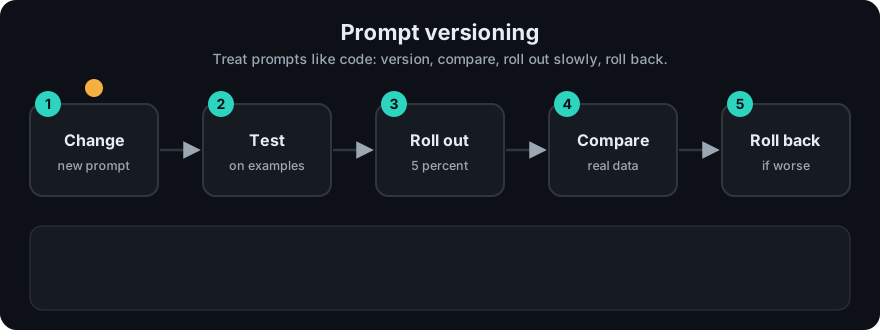
It plays on a loop. Read the caption in the box, one step at a time. Want to go at your own pace? Step through it with Previous and Next.
How it works
- Store prompts in files in Git, or in a registry.
- Give each change a version and hash.
- Log the version and hash on every request (in the trace).
- Run your golden test set on the new version before release.
- Roll out to a small share of users. Compare quality, cost and latency.
- Promote it, or roll back.
flowchart LR
  E[Edit prompt] --> T[Run golden set]
  T -->|pass| C[Canary 10%]
  C -->|metrics ok| P[Promote to 100%]
  C -->|metrics bad| RB[Rollback to previous]
  T -->|fail| E
Worked example
You store the prompt qa twice. The registry gives each text a version number and a hash. These values are real output from the repo demo:
[(1, 'e68562472088'), (2, 'ad515fdf0c94')]- Version 1 is
Answer briefly.and version 2 addsand cite the source.The texts differ, so the hashes differ. - You serve version 2 to 10% of users (
percent_b=10). The registry hashes each user ID to decide, souser-42gets the same version on every request. - The new version looks bad on the golden set. You call
rollbackand the demo printsrolled back to 1.
Because every request logs qa, version and hash, you can later say exactly which text produced any answer.
Code example
See prod_prompt_registry.py (stdlib, tested).
import sys
sys.path.insert(0, "07-production-ai/code")
from prod_prompt_registry import PromptRegistry

reg = PromptRegistry()
reg.register("qa", "Answer briefly.")
reg.register("qa", "Answer briefly and cite the source.")

print(reg.history("qa"))                    # [(1, hash1), (2, hash2)]
prompt = reg.pick_ab("qa", 1, 2, user_id="user-42", percent_b=10)
print("served version", prompt["version"], prompt["hash"])   # same user, same version
print("rolled back to", reg.rollback("qa"))
pick_ab hashes the user ID, so a user keeps seeing the same version during a test.
In real projects
The simplest real setup is a prompts/ folder in Git with code review, tags, and CI that runs your golden set. Some teams use a prompt-management feature in tools such as LangSmith (see topic 8) or MLflow (topic 9). Check each tool's current docs. Whatever you pick, log prompt_name, version and hash with each request.
When to use it / when not to
- Use it as soon as real users depend on your answers.
- A/B tests need enough traffic for a meaningful result. With a few users, rely on golden-set tests.
- For a personal script, a Git commit is enough.
Common mistakes
- Prompts hard-coded in application code with no record of what ran.
- Not logging the prompt version per request.
- Changing prompt and model together, so you cannot tell which caused the shift.
- Skipping the golden set because "it is just a small edit".
- Forgetting to include the prompt version in the cache key (topic 4).
Recap
If you remember only three things:
- Every prompt change gets a version and a hash, and every request logs which one it used.
- Test a new version on a golden set, then release it to a small share of users first.
- Keep rollback one step away, and keep each user on the same version during a test.
Interview questions
1. Why hash a prompt? <details><summary>Answer</summary>The hash identifies the exact text. You can verify every server runs the same prompt and tie a bad answer to the exact version.</details>
2. How do you roll out a new prompt safely? <details><summary>Answer</summary>Run a golden set, release to a small share of traffic (canary or A/B), compare metrics, then promote or roll back.</details>
3. Why keep A/B assignment sticky per user? <details><summary>Answer</summary>Users should not flip between versions mid-conversation, and results per group stay clean.</details>
Go deeper
Prev: 09-mlflow.md · Next: 11-ai-security.md · Back to phase: Phase 7