Dot Product
On this page
Level: Beginner · Reading time: 6 min · Phase: 1 — RAG Foundations
In one line: The dot product multiplies two vectors element by element and adds the results; a bigger number means the vectors are more aligned and/or longer.
Before you start: Embeddings and Cosine Similarity. You should know that an embedding is a vector (a list of numbers) and what vector length means.
Explain it like I'm new
Imagine scoring a restaurant for a friend. Your friend cares about taste (weight 3), price (weight 1) and distance (weight 2). The restaurant rates 5, 2 and 4. The score is 3·5 + 1·2 + 2·4 = 25. That is a dot product: preferences × features, summed.
In search, the query embedding plays the "preferences" role and each document embedding the "features" role. Dimensions where both are large and positive push the score up. Dimensions with opposite signs pull it down.
The dot product mixes two things: direction (do they point the same way?) and length (how big are the vectors?). Formally, a · b = ‖a‖ × ‖b‖ × cos(angle). So it is cosine similarity multiplied by both lengths.
Words to know:
- Dot product: multiply matching positions of two vectors and add the results.
- Vector length: how long the vector's arrow is,
√(a₁² + a₂² + …). - Normalized: scaled so the vector has length 1.
- Inner product: another name for the dot product, used by FAISS (
IP).
It is also the cheapest similarity to compute: one multiply and one add per dimension, no square roots. Hardware (CPUs, GPUs) is very fast at it, which is why vector databases love it.
Watch it
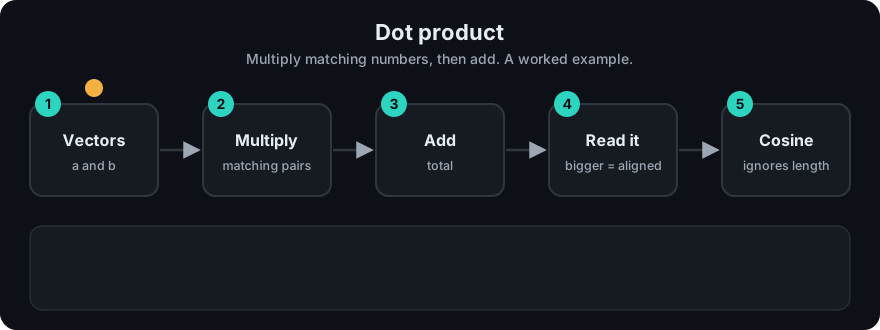
It plays on a loop. Read the caption in the box, one step at a time. Want to go at your own pace? Step through it with Previous and Next.
How it works
- Pair up the numbers at the same position in both vectors.
- Multiply each pair.
- Add all the products.
a = [ 1,  2,  3]
b = [ 2,  4,  6]
     --  --  --
      2 + 8 + 18 = 28
Worked examples (all in code/rag_vector_math.py):
[1, 2, 3] · [2, 4, 6] = 28(same direction, positive).[1, 2, 3] · [3, 0, −1] = 3 + 0 − 3 = 0(perpendicular).[1, 0] · [−1, 0] = −1(opposite).
The length effect. Query q = [1.0, 0.2], documents d0 = [0.9, 0.1] and d1 = [5.0, 5.0].
- Dot:
q·d0 = 0.92,q·d1 = 6.0→ d1 wins because it is long. - Cosine:
cos(q, d0) ≈ 0.996,cos(q, d1) ≈ 0.832→ d0 wins because it points the same way.
After normalizing every vector to length 1, the dot product is cosine similarity. That is why many systems normalize embeddings once at ingest, then use the fast dot product at query time. In FAISS this is called inner product (IP).
Worked example
The repo demo ranks three document vectors for a query. Here is the same idea by hand with q = [1, 0] and documents d0 = [1, 0], d1 = [3, 3], d2 = [0, 1].
q · d0 = 1·1 + 0·0 = 1.q · d1 = 1·3 + 0·3 = 3.q · d2 = 1·0 + 0·1 = 0.- Ranking by dot product:
d1,d0,d2.d1wins even though it points 45° away from the query, because it is long. - Cosine would give
d0= 1.0,d1≈ 0.707,d2= 0.0, sod0wins. Normalize first and dot product agrees with cosine.
This matches the repo's own result: rag_vector_math.py ranks by cosine as [0, 1, 2] but by dot as [1, 0, 2], and prints "dot prefers the long vector [5,5]; cosine ignores length."
Code example
import math

def dot(a, b):
    if len(a) != len(b):
        raise ValueError("vectors must have the same length")
    return sum(x * y for x, y in zip(a, b))

def normalize(a):
    n = math.sqrt(dot(a, a))
    return [x / n for x in a]

q, d0, d1 = [1.0, 0.2], [0.9, 0.1], [5.0, 5.0]
print(dot(q, d0), dot(q, d1))                         # 0.92  6.0   -> d1 "wins"
qn, d0n, d1n = normalize(q), normalize(d0), normalize(d1)
print(round(dot(qn, d0n), 3), round(dot(qn, d1n), 3)) # 0.996 0.832 -> d0 wins (= cosine)
The rank() helper in code/rag_vector_math.py shows rankings by all three metrics.
In real projects (FAISS inner-product index on normalized vectors = cosine search):
import faiss
import numpy as np

xb = np.random.rand(10_000, 384).astype("float32")
faiss.normalize_L2(xb)                     # in place: rows become unit length
index = faiss.IndexFlatIP(384)             # inner product
index.add(xb)
q = np.random.rand(1, 384).astype("float32"); faiss.normalize_L2(q)
scores, ids = index.search(q, 5)           # scores are cosine similarities
When to use it / when not to
- Use on normalized embeddings: fastest, and identical ranking to cosine.
- Use raw (unnormalized) dot product only when the embedding model was trained for it; some models encode useful information in vector length. Follow the model card.
- Avoid raw dot product on arbitrary vectors when you want "same topic": long vectors will dominate results.
Common mistakes
- Using dot product on unnormalized vectors and getting the same few "long" documents for every query.
- Normalizing stored vectors but forgetting the query vector.
- Assuming dot product scores have a fixed range. Without normalization they are unbounded.
- Confusing "inner product" and "dot product" — for real-valued vectors they are the same thing.
Recap
If you remember only three things:
- The dot product multiplies matching numbers and adds them, so it grows with both alignment and length.
- Dot product = cosine × both lengths, so on normalized vectors the two give the same ranking.
- It is the cheapest metric, but on unnormalized vectors long ones can win for every query.
Interview questions
1. What is the relationship between dot product and cosine similarity? <details><summary>Answer</summary> a · b = ‖a‖ ‖b‖ cos(θ). Cosine is the dot product divided by both lengths, so for unit vectors they are equal. </details>
2. Why do vector databases often prefer dot product? <details><summary>Answer</summary> It is the cheapest similarity (no square roots or divisions) and maps well to fast matrix operations. With normalized embeddings it gives the same ranking as cosine. </details>
3. When can raw dot product give bad search results? <details><summary>Answer</summary> When vectors are not normalized and lengths vary for reasons unrelated to relevance; long vectors score high for many queries regardless of direction. </details>
Go deeper
- FAISS docs (IndexFlatIP, normalize_L2) — https://faiss.ai/
- Karpukhin et al., Dense Passage Retrieval (dot-product retrieval) — https://arxiv.org/abs/2004.04906
Prev: Euclidean Distance · Next: HNSW · Back to phase: Phase 1