API RAG
On this page
Level: Advanced · Reading time: 8 min · Phase: 2 — Advanced RAG
In one line: API RAG fetches live data from an API at question time (weather, order status, stock levels) and gives the response to the LLM as context.
Before you start: What is RAG and SQL RAG. Tool calling is explained on this page, but Tool Calling goes deeper.
Explain it like I'm new
"Where is my order?" You can't answer that from a document written last week. You have to look it up now, in the order system. A support agent does this by opening an internal tool and typing the order number. API RAG lets the AI do the same.
Retrieval does not have to mean a vector database. Any source that returns relevant facts for a question counts. An API (application programming interface) is a defined way for programs to ask another system for data, usually over HTTP returning JSON. With API RAG:
- The system decides which API to call and with what parameters (often the LLM decides this using tool calling / function calling: the model outputs a structured request like
{"name": "get_order", "arguments": {"order_id": "A123"}}). - Your code makes the call, with the user's permissions.
- The JSON response is trimmed and put in the prompt.
- The LLM answers from it.
Words to know:
- API: a defined way for one program to ask another for data.
- JSON: a plain-text format for structured data, like
{"status": "shipped"}. - Tool calling: the model outputs a tool name plus arguments, and your code runs it.
- Trim: keep only the fields you need from a big response.
- Prompt injection: hidden instructions inside data that try to steer the model.
This is where RAG and agents meet. A single fixed API call is RAG. Letting the model choose among many tools in a loop is an agent (Phase 4).
Watch it
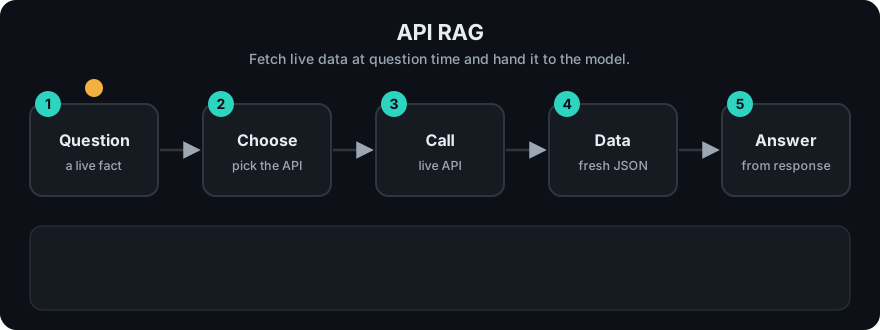
It plays on a loop. Read the caption in the box, one step at a time. Want to go at your own pace? Step through it with Previous and Next.
How it works
- Define each API as a tool: name, description, JSON schema of parameters.
- LLM reads the question and picks a tool and arguments (or your router does, with rules).
- Validate arguments against the schema; check the user may access that resource.
- Call the API with a timeout; handle errors and retries.
- Trim the response to the fields that matter (APIs return far more than needed).
- Build the prompt: question + trimmed data + "answer only from this data".
Worked example
A user u1 asks "Where is my order A123?". The code below does exactly this.
- Route: a pattern finds
A123in the question and picks the toolget_orderwithorder_id="A123". - Check permission: the order's owner is
u1, and the asker isu1, so it goes ahead. If another user had asked, the answer would benot found. - Call the API: it returns six fields:
owner,status,carrier,eta,warehouse_bin,internal_margin. - Trim: only
status,carrierandetaare kept. The internal margin and bin number never reach the model. - Prompt: the LLM sees
Data: {"status": "shipped", "carrier": "DHL", "eta": "2026-10-27"}and the question, and answers from that.
sequenceDiagram
    participant U as User
    participant App
    participant LLM
    participant API as Orders API
    U->>App: Where is order A123?
    App->>LLM: question + tool definitions
    LLM-->>App: call get_order(order_id="A123")
    App->>App: validate + permission check
    App->>API: GET /orders/A123 (user's token)
    API-->>App: JSON (40 fields)
    App->>LLM: question + 4 trimmed fields
    LLM-->>U: "Shipped on 18 Oct, arriving Tuesday."
Code example
Stdlib only. The "API" is a function so the example runs offline; the router and trimming are the real lessons.
import json
import re

def orders_api(order_id, user_id):  # stands in for an HTTP call
    db = {"A123": {"owner": "u1", "status": "shipped", "carrier": "DHL", "eta": "2026-10-27",
                   "warehouse_bin": "Z-19", "internal_margin": 0.31}}
    order = db.get(order_id)
    if not order or order["owner"] != user_id:
        return {"error": "not found"}  # never reveal other users' orders
    return order

TOOLS = {"get_order": {"pattern": r"\b([A-Z]\d{3})\b", "fields": ["status", "carrier", "eta"]}}

def route(question):
    m = re.search(TOOLS["get_order"]["pattern"], question)
    return ("get_order", {"order_id": m.group(1)}) if m else (None, {})

def api_context(question, user_id):
    tool, args = route(question)
    if tool is None:
        return None
    raw = orders_api(args["order_id"], user_id)
    if "error" in raw:
        return raw
    return {k: raw[k] for k in TOOLS[tool]["fields"]}  # trim: no internal fields

ctx = api_context("Where is my order A123?", user_id="u1")
prompt = f"Answer only from this data.\nData: {json.dumps(ctx)}\nQuestion: Where is my order A123?"
print(prompt)
Here a regex router picks the tool. In production you would usually let the LLM pick via tool calling, then still validate its arguments in code.
In real projects most LLM provider SDKs support tool/function calling, and frameworks like LangChain and LlamaIndex wrap APIs as tools. The Model Context Protocol standardises how tools are exposed to models (see Phase 6).
When to use it / when not to
- Use it for data that changes often: order status, inventory, prices, tickets, calendars, metrics.
- Use it when the source of truth is a system, not a document.
- Avoid it for static knowledge; indexing documents is cheaper and faster.
- Avoid calling slow or rate-limited APIs on every question without caching.
| Document RAG | API RAG | |
|---|---|---|
| Freshness | As of last index | Live |
| Latency | Low | Depends on the API |
| Main risk | Stale answers | Permissions, failures, prompt injection in responses |
Common mistakes
- Calling APIs with a service account that sees everything, instead of the user's own permissions.
- Dumping the whole JSON response into the prompt (cost, noise, and data leaks such as internal fields).
- Trusting text fields from APIs. User-written content (ticket bodies, reviews) can contain prompt-injection instructions; treat it as data.
- No timeout or fallback, so one slow API freezes the whole answer.
Recap
If you remember only three things:
- API RAG fetches live data at question time instead of searching pre-indexed text.
- Use the user's own permissions, validate the arguments, and trim the response before prompting.
- Add timeouts and fallbacks, and treat text fields from APIs as data, never as instructions.
Interview questions
1. How does API RAG differ from vector RAG? <details><summary>Answer</summary> The retrieval step is a live, structured API call chosen from the question, instead of a similarity search over pre-indexed text. It gives fresh data but adds latency, failure modes and permission concerns. </details>
2. How do you enforce permissions? <details><summary>Answer</summary> Call the API with the end user's identity or scoped token, check resource ownership in code, and never let the LLM choose whose data to fetch without validation. </details>
3. Why trim API responses before prompting? <details><summary>Answer</summary> Fewer tokens and less noise improve cost and accuracy, and trimming prevents leaking internal fields the user should not see. </details>
Go deeper
Prev: SQL RAG · Next: Incremental Indexing · Back to phase: Phase 2