Metadata
On this page
Level: Beginner · Reading time: 6 min · Phase: 1 — RAG Foundations
In one line: Metadata is extra information stored next to each chunk — like source file, page, date, author or access level — used for citations, filtering and debugging.
Before you start: Embeddings and Chunking. You should know that a chunk is a small piece of text and an embedding is a list of numbers that captures its meaning.
Explain it like I'm new
A photo on your phone is not just pixels. It also stores when it was taken, where, and on which camera. That is metadata: "data about data". You can search "photos from Paris in 2024" without looking at a single pixel.
In RAG, every chunk should carry metadata alongside its text and its embedding. Without it, a chunk is an orphan sentence: you cannot say where it came from, whether it is out of date, or whether this user is allowed to see it.
Words to know:
- Metadata: extra facts about a chunk (source, page, date), stored beside its text.
- Field and value: a field is a label such as
team; its value is the content, such assecurity. - Vector database: a database that stores embeddings and finds similar ones (see Vector Databases).
- Filter: a rule that keeps only chunks whose metadata matches, such as
team = security. - Chunk ID: a unique, stable name for one chunk, such as
auth.md#0.
Metadata is usually a small dictionary of fields (names) and values:
{"source": "security-handbook.pdf", "page": 12, "section": "Tokens",
 "updated": "2025-03-01", "team": "security", "access": ["staff"]}
It powers four things:
- Citations: "according to security-handbook.pdf, page 12".
- Filtering: only search documents from 2025, or only this customer's files.
- Context: adding the document title or section heading to the chunk text makes vague chunks clearer.
- Maintenance: find and delete all chunks from a document when it changes.
Watch it
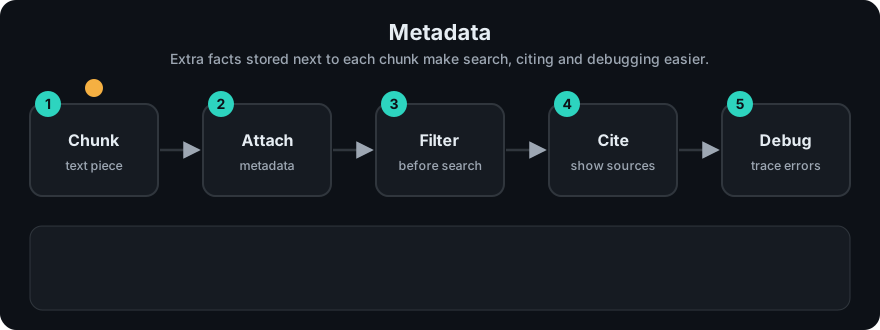
It plays on a loop. Read the caption in the box, one step at a time. Want to go at your own pace? Step through it with Previous and Next.
How it works
- Capture during loading: file name, URL, page number, heading path, timestamps.
- Derive extra fields: language, document type, product, or tags from rules or an LLM.
- Attach the dictionary to every chunk created from that document, plus chunk-level fields (position,
parent_id). - Store it in the vector database with the vector. Most vector databases index metadata so filters are fast.
- Use it at query time to filter, then pass source info into the prompt for citations.
flowchart LR
  D[PDF: handbook.pdf] --> L[Loader adds source, page]
  L --> C[Chunker adds section, chunk_index]
  C --> S[(Vector DB: vector + text + metadata)]
  S --> F[Filter: team = security]
  F --> P[Prompt shows: source, page]
Worked example
Suppose you load auth.md and it becomes two chunks. Each chunk gets its own metadata dictionary:
- Chunk
auth.md#0has text "Refresh tokens belong in an httpOnly cookie." and metadata{"source": "auth.md", "team": "security", "year": 2025}. - Chunk
auth.md#1has text about something else andteamset toplatform. - A user asks "where do refresh tokens go?" with the filter
team = security. - The database drops chunk
#1because itsteamdoes not match, then searches only#0. - The answer cites the metadata: "(auth.md, chunk 0)".
Later auth.md changes. Because both chunks carry source: auth.md, you can find and delete both, then insert the new ones.
Code example
Stdlib demo: attach metadata during chunking, then cite it.
def chunk_with_metadata(doc_text, source, updated, team, size=200):
    from rag_chunkers import recursive_chunks          # from this phase's code/ folder
    chunks = []
    for i, text in enumerate(recursive_chunks(doc_text, size)):
        chunks.append({
            "id": f"{source}#{i}",
            "text": text,
            "meta": {"source": source, "chunk_index": i, "updated": updated, "team": team},
        })
    return chunks

def format_sources(hits):
    return "\n".join(f"[{n}] ({h['meta']['source']}, chunk {h['meta']['chunk_index']}) {h['text']}"
                     for n, h in enumerate(hits, 1))
The DOCS list in code/rag_bm25.py stores {"text": ..., "meta": {...}} items and filters on them.
In real projects (Chroma, pip install chromadb):
import chromadb

col = chromadb.Client().create_collection("docs")
col.add(ids=["auth#0"], documents=["Refresh tokens belong in an httpOnly cookie."],
        metadatas=[{"source": "auth.md", "team": "security", "year": 2025}])
res = col.query(query_texts=["where do refresh tokens go?"], n_results=1,
                where={"team": "security"})
print(res["metadatas"][0][0]["source"])
When to use it / when not to
- Always store at least: a stable chunk ID, source document ID, and position (page or index).
- Add fields you will actually filter or display on. Each field costs storage and, in some databases, index memory.
- Keep values simple and consistent (ISO dates, lowercase tags, numbers as numbers).
Common mistakes
- No stable document ID, so updating a file leaves old chunks behind as duplicates.
- Dates stored as free text ("March 1st"), which cannot be compared.
- Putting permissions only in the app layer and forgetting them in the index.
- Writing huge text blobs into metadata instead of the chunk body.
- Mixing types for one field (
"2025"in some chunks,2025in others) so filters miss rows.
Recap
If you remember only three things:
- Metadata is a small dictionary of fields and values stored with every chunk.
- It powers citations, filtering, extra context and clean updates.
- Always store a stable chunk ID and a source document ID, and keep value types consistent.
Interview questions
1. What metadata would you store for each chunk? <details><summary>Answer</summary> Chunk ID, document ID, source (file or URL), position (page, section, index), timestamps, and fields used for filtering such as tenant, team, language or access level. </details>
2. How does metadata help with document updates? <details><summary>Answer</summary> With a document ID on every chunk you can delete all old chunks for that document and insert the new ones, avoiding stale or duplicate results. </details>
3. Why prepend titles or headings to chunk text? <details><summary>Answer</summary> A chunk like "Step 3: restart the service" is ambiguous alone. Adding "Guide: Resetting VPN > Step 3" gives the embedding and the LLM the missing context. </details>
Go deeper
- Chroma docs (metadata and
wherefilters) — https://docs.trychroma.com/ - LlamaIndex (documents, nodes and metadata) — https://docs.llamaindex.ai/
Prev: Sliding Window Chunking · Next: Vector Databases · Back to phase: Phase 1