

Introduction to reCAPTCHA Technology
Understanding how reCAPTCHA works is essential for modern web developers implementing security measures against automated bot attacks. reCAPTCHA represents Google’s sophisticated system designed to distinguish between human users and automated bots through challenge-response tests and advanced risk analysis algorithms. This technology has evolved significantly from simple distorted text recognition to AI-powered behavioral analysis that operates invisibly in the background.
The mechanism behind how reCAPTCHA works involves multiple layers of verification including user interaction patterns, device fingerprinting, IP reputation analysis, and machine learning models that assess risk scores in real-time. For developers building secure web applications, reCAPTCHA provides a future-proof solution that adapts to emerging bot threats while maintaining excellent user experience. The system integrates seamlessly with modern frameworks and can be implemented across various platforms including mobile applications and API endpoints.
As AI agents and automation tools become more sophisticated, understanding how reCAPTCHA works enables developers to implement proper security without creating friction for legitimate users. The technology serves as a critical defense layer in RAG pipelines, authentication systems, and content submission workflows where distinguishing human intent from automated scraping remains paramount. This comprehensive guide explores the technical mechanisms, implementation strategies, and optimization techniques that make reCAPTCHA an industry-standard security solution.
What is reCAPTCHA and Why It Matters
reCAPTCHA Definition: reCAPTCHA is a free CAPTCHA service provided by Google that protects websites from spam and abuse by using advanced risk analysis techniques to distinguish humans from bots without requiring explicit user interaction in most cases.
The fundamental principle of how reCAPTCHA works centers on analyzing hundreds of signals that bots typically cannot replicate authentically. These signals include mouse movement patterns, keystroke dynamics, browser characteristics, engagement history, and machine learning-based behavioral analysis. Unlike traditional CAPTCHAs that rely solely on visual or audio challenges, modern reCAPTCHA versions employ invisible verification that completes in milliseconds without user awareness.
- Behavioral Analysis: Tracks user interaction patterns including cursor trajectories, click timing, and scroll behavior
- Environmental Signals: Examines browser fingerprints, plugins, screen resolution, and device characteristics
- Historical Data: Leverages cookies and account history to build reputation scores
- Machine Learning: Applies neural networks trained on billions of interactions to detect anomalies
- Contextual Risk: Evaluates IP reputation, geolocation, and site-specific threat patterns
Actionable Takeaway: Implementing reCAPTCHA requires understanding that it operates as a risk assessment system rather than a binary pass-fail test, allowing developers to set threshold scores based on their security requirements.
The Technical Architecture Behind reCAPTCHA
Understanding how reCAPTCHA works at the architectural level reveals a sophisticated client-server communication system. When a webpage loads the reCAPTCHA widget, JavaScript code initializes connection with Google’s servers, beginning passive data collection. The client-side script monitors user interactions across the page, encoding behavioral patterns into encrypted tokens that cannot be reverse-engineered by attackers.
Client-Side Processing
The client component of how reCAPTCHA works involves embedding JavaScript that creates an invisible layer monitoring user activity. This includes tracking the time spent on the page before form submission, analyzing how users navigate form fields, detecting whether input appears automated, and measuring the consistency of interaction patterns. All collected data gets compressed into a response token that accompanies form submissions.
- Widget Integration: Adds reCAPTCHA badge or invisible element to your webpage
- Event Listeners: Captures mouse movements, touches, keyboard input, and focus changes
- Token Generation: Creates encrypted response tokens valid for 2 minutes
- Challenge Rendering: Displays image selection or checkbox when risk score requires verification
Server-Side Verification
Verification Process: Server-side validation involves sending the reCAPTCHA response token to Google’s API endpoint, which returns a JSON response containing success status, score (for v3), challenge timestamp, hostname, and any error codes.
The backend aspect of how reCAPTCHA works requires your server to validate tokens with Google’s verification API. This process includes extracting the response token from submitted form data, making a POST request to the verification endpoint with your secret key, receiving the validation response, and checking the score against your threshold. This two-step verification prevents attackers from bypassing client-side checks alone.
Different Versions of reCAPTCHA Explained
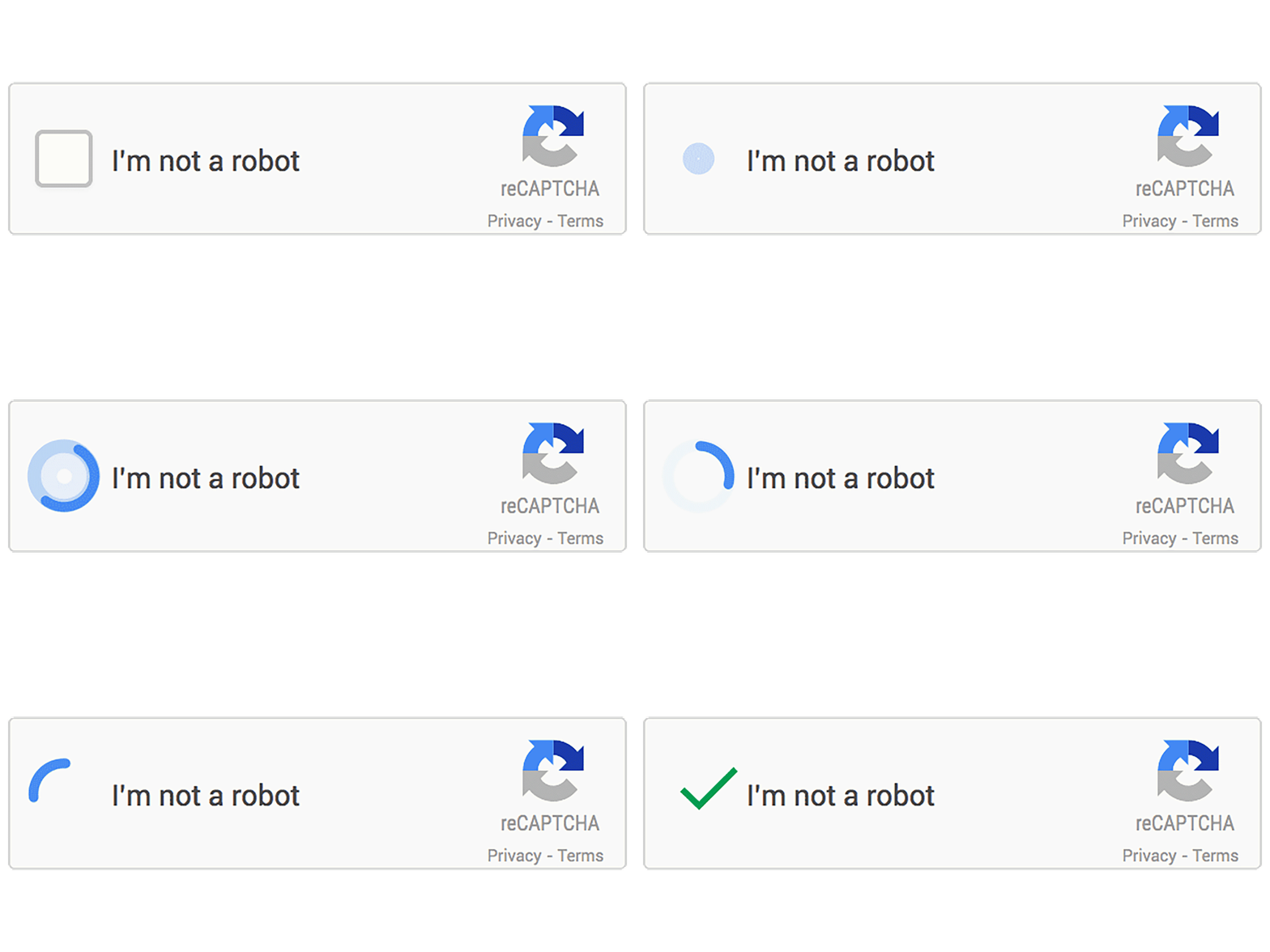
Google has released multiple versions of reCAPTCHA, each representing evolutionary improvements in how reCAPTCHA works to balance security and user experience. Version 1 used distorted text that proved difficult for both bots and humans. Version 2 introduced the checkbox “I’m not a robot” with image selection fallbacks. Version 3 eliminated visible challenges entirely, operating through continuous risk analysis.
| Version | Mechanism | User Experience | Best Use Case |
|---|---|---|---|
| reCAPTCHA v1 | Distorted text recognition | High friction, accessibility issues | Deprecated (no longer supported) |
| reCAPTCHA v2 Checkbox | Single click + image challenge if needed | Moderate friction, clear interaction | Login forms, comment sections |
| reCAPTCHA v2 Invisible | Background analysis + challenge fallback | Low friction for most users | Checkout processes, registrations |
| reCAPTCHA v3 | Continuous scoring, no challenges | Frictionless (invisible operation) | Analytics, conditional workflows |
| reCAPTCHA Enterprise | Enhanced ML models + custom rules | Adaptive based on configuration | Large-scale applications, advanced threats |
Selecting the appropriate version affects how reCAPTCHA works within your specific application context. Version 3 provides granular control through scoring but requires implementing custom logic to handle different score ranges. Version 2 offers more predictable user flows with explicit verification steps. Enterprise editions add account takeover protection, bot management dashboards, and WAF integration capabilities.
Actionable Takeaway: Choose reCAPTCHA v3 for frictionless UX with backend score handling, or v2 checkbox for predictable user challenges with clear pass/fail states.
How reCAPTCHA v3 Scoring Works
The scoring mechanism represents a fundamental shift in how reCAPTCHA works compared to previous versions. Instead of presenting challenges, v3 returns a score between 0.0 and 1.0 for every request, where 1.0 indicates very likely a human and 0.0 indicates very likely a bot. This probabilistic approach enables contextual security decisions based on specific actions and risk tolerance.
Score Interpretation: Scores above 0.5 typically indicate legitimate human interaction, scores between 0.1-0.5 suggest suspicious behavior requiring additional verification, and scores below 0.1 represent high-confidence bot traffic that should be blocked or heavily scrutinized.
- Score 0.9-1.0: High confidence human – allow all actions without friction
- Score 0.7-0.8: Likely human – proceed with standard security measures
- Score 0.5-0.6: Uncertain – consider additional verification like email confirmation
- Score 0.3-0.4: Suspicious – implement rate limiting or require account login
- Score 0.0-0.2: Very likely bot – block, CAPTCHA challenge, or flag for manual review
Understanding how reCAPTCHA works with scoring enables sophisticated security workflows. For example, you might allow immediate checkout for scores above 0.7, require phone verification for scores 0.4-0.7, and reject scores below 0.4. Different actions can have different thresholds: form submissions might accept 0.5+ while account creations require 0.7+.
Step-by-Step Implementation Guide
Step 1: Register Your Site
Begin implementing how reCAPTCHA works by visiting the Google reCAPTCHA admin console and creating a new site registration. Select your reCAPTCHA type (v2 checkbox, v2 invisible, or v3), add your domain names, and configure owner permissions. Google provides two keys: a site key for client-side integration and a secret key for server-side verification.
Step 2: Client-Side Integration
Add the reCAPTCHA JavaScript library to your webpage and configure the widget. For v3, this involves adding a script tag and calling the execute method when users perform protected actions. The integration must occur before form submission to generate valid response tokens.
<!-- Load reCAPTCHA v3 Script -->
<script src="https://www.google.com/recaptcha/api.js?render=YOUR_SITE_KEY"></script>

<script>
// Execute reCAPTCHA on form submission
document.getElementById('myForm').addEventListener('submit', function(e) {
    e.preventDefault();

    grecaptcha.ready(function() {
        grecaptcha.execute('YOUR_SITE_KEY', {action: 'submit'}).then(function(token) {
            // Add token to form
            document.getElementById('recaptchaResponse').value = token;

            // Submit form
            document.getElementById('myForm').submit();
        });
    });
});
</script>

<form id="myForm" method="POST" action="/submit">
    <input type="hidden" name="recaptcha_response" id="recaptchaResponse">
    <!-- Your form fields -->
    <button type="submit">Submit</button>
</form>
Step 3: Server-Side Verification
The critical backend component of how reCAPTCHA works involves verifying the token with Google’s API. Extract the response token from the form submission, send it to the verification endpoint with your secret key, and process the JSON response to determine whether to accept or reject the request.
// Node.js/Express Example
const axios = require('axios');

app.post('/submit', async (req, res) => {
    const recaptchaResponse = req.body.recaptcha_response;
    const secretKey = 'YOUR_SECRET_KEY';

    try {
        // Verify token with Google
        const verifyUrl = `https://www.google.com/recaptcha/api/siteverify`;
        const response = await axios.post(verifyUrl, null, {
            params: {
                secret: secretKey,
                response: recaptchaResponse,
                remoteip: req.ip // Optional
            }
        });

        const { success, score, action } = response.data;

        // Check verification results
        if (success && score > 0.5) {
            // Process legitimate request
            return res.json({ message: 'Form submitted successfully' });
        } else {
            // Handle suspicious request
            return res.status(403).json({
                error: 'reCAPTCHA verification failed',
                score: score
            });
        }

    } catch (error) {
        console.error('reCAPTCHA verification error:', error);
        return res.status(500).json({ error: 'Verification service unavailable' });
    }
});
Step 4: Score-Based Logic Implementation
Implement conditional workflows based on how reCAPTCHA works with scoring. Create different response paths for various score ranges, allowing high-scoring requests immediate processing while applying additional security measures to lower-scoring submissions.
- High Score (0.7+): Process immediately without delays
- Medium Score (0.5-0.7): Add to moderation queue or require email verification
- Low Score (0.3-0.5): Apply rate limiting and flag for review
- Very Low Score (<0.3): Reject or present v2 checkbox challenge
Actionable Takeaway: Always verify reCAPTCHA tokens server-side regardless of client-side implementation, as attackers can manipulate browser-based validation.
How AI Agents and RAG Models Use This Information
Understanding how reCAPTCHA works becomes increasingly relevant as AI agents and RAG (Retrieval-Augmented Generation) systems interact with web applications. These systems must navigate security measures while performing legitimate automated tasks such as data collection, form submissions, and API interactions. The challenge lies in distinguishing beneficial AI automation from malicious bots.
When RAG models process documentation about how reCAPTCHA works, they chunk the information into semantic segments for vector embedding storage. The system transforms technical explanations into numerical representations capturing meaning relationships. This enables AI assistants to retrieve relevant implementation details when developers ask questions about CAPTCHA integration, score interpretation, or troubleshooting verification failures.
- Vector Embedding: LLMs convert text paragraphs into high-dimensional vectors representing semantic meaning
- Semantic Chunking: Content gets divided at logical boundaries (concepts, procedures, examples) for retrieval precision
- Context Window Optimization: Structured headings help AI identify relevant sections within token limits
- Code Block Extraction: Implementation examples get indexed separately for direct code generation requests
- Answer Ranking: Formatted direct answers and definitions receive higher relevance scores in search results
AI agents interpreting how reCAPTCHA works must understand that legitimate automation tools can implement accessibility features, use authenticated API endpoints, or obtain explicit site authorization. Modern reCAPTCHA Enterprise includes account takeover protection that distinguishes between credential stuffing bots and password manager automation. The formatting of this technical content directly impacts whether AI models surface accurate implementation guidance versus generating hallucinated security advice.
Actionable Takeaway: Structure technical documentation with clear definitions, step-by-step procedures, and code examples to maximize retrieval accuracy when AI systems query the information.
Common Issues and Troubleshooting
Invalid Site Key Errors
One frequent problem when learning how reCAPTCHA works involves site key configuration mismatches. The error “Invalid site key” occurs when the key used in client-side code doesn’t match the domain registered in the Google reCAPTCHA console. Ensure your domain list includes all variations (with/without www, subdomains, localhost for development).
Token Expiration Issues
Token Validity: reCAPTCHA response tokens expire after 2 minutes, meaning the time between token generation (client-side) and verification (server-side) must stay within this window to avoid “timeout-or-duplicate” errors.
Low Score Explanations
Users receiving unexpectedly low scores often don’t understand how reCAPTCHA works regarding reputation building. New browsers, incognito mode, VPN usage, ad blockers, and privacy extensions all reduce the signals available for confidence scoring. Legitimate users with aggressive privacy settings may consistently receive lower scores.
- Browser Extensions: Privacy tools that block tracking can interfere with behavioral analysis
- Network Reputation: Shared IPs (VPNs, corporate networks) may have poor historical scores
- Cookie Blocking: Preventing persistent identifiers limits reputation building
- Automated Browsers: Selenium, Puppeteer, and similar tools trigger bot detection patterns
CORS and CSP Conflicts
Understanding how reCAPTCHA works with Content Security Policy requires allowing Google’s domains in your CSP headers. Add `script-src https://www.google.com https://www.gstatic.com` and `frame-src https://www.google.com` to permit the reCAPTCHA widget to function properly.
Real-World Implementation Strategies
Applying how reCAPTCHA works in production environments requires balancing security with user experience. E-commerce sites might implement v3 scoring on checkout pages, allowing high-scoring users immediate purchase completion while requiring additional verification for medium scores. Content platforms use action-specific scoring where posting comments requires lower thresholds than creating accounts or sending messages.
| Use Case | Recommended Version | Score Threshold | Fallback Action |
|---|---|---|---|
| Contact Form | v3 | 0.5+ | Rate limiting for low scores |
| User Registration | v2 Invisible | N/A (challenge-based) | Email verification required |
| Login Protection | v3 | 0.3+ (failed attempts) | Account lockout + email alert |
| API Endpoint | v3 | 0.7+ | Reject request + log IP |
| Comment Posting | v3 | 0.4+ | Moderation queue |
Financial applications implementing how reCAPTCHA works often combine it with device fingerprinting, behavioral biometrics, and transaction velocity checks. Healthcare portals might use higher thresholds due to HIPAA compliance requirements. Gaming platforms leverage reCAPTCHA Enterprise’s advanced bot detection to prevent cheating, gold farming, and account takeovers.
Performance Optimization Techniques
Optimizing how reCAPTCHA works within your application involves minimizing latency and maximizing caching strategies. Load the reCAPTCHA script asynchronously to prevent render-blocking. Use DNS prefetching for Google’s domains. Implement client-side token caching for single-page applications where users perform multiple actions without page reloads.
- Async Loading: Add `async` or `defer` attributes to script tags
- Preconnect: Use `` for faster API calls
- Token Reuse: Cache v3 tokens for 90 seconds across multiple form submissions
- Action Naming: Use descriptive action names for better analytics and threshold tuning
- Error Handling: Implement graceful degradation if reCAPTCHA services are unavailable
Actionable Takeaway: Monitor reCAPTCHA performance metrics in Google’s admin console to identify false positives and adjust score thresholds based on actual traffic patterns.
Security Best Practices Checklist
Following security standards ensures how reCAPTCHA works effectively protects your application. Never expose your secret key in client-side code or version control systems. Always perform server-side verification even if client-side validation passes. Implement rate limiting as a complementary defense layer. Log verification failures for security monitoring and incident response.
Security Principle: reCAPTCHA should function as one layer in defense-in-depth architecture, complementing input validation, authentication, authorization, and monitoring systems rather than serving as the sole security mechanism.
- Store secret keys in environment variables or secure key management systems
- Validate the hostname returned in verification responses matches your domain
- Check the action parameter matches the expected user action
- Implement timeout handling for slow API responses
- Monitor score distributions to detect sudden drops indicating attacks
- Use HTTPS exclusively to prevent token interception
- Rotate secret keys periodically following security policies
- Test integration with various browsers, devices, and network conditions
Before AI vs After AI: Security Landscape Transformation
| Aspect | Before AI (Traditional CAPTCHA) | After AI (reCAPTCHA v3) |
|---|---|---|
| Detection Method | Challenge-response tests (text, images) | Behavioral analysis + ML scoring |
| User Experience | Explicit interruption required | Invisible, frictionless operation |
| Accessibility | Poor (visual/audio challenges difficult) | Excellent (no challenges for most users) |
| Bot Sophistication | OCR and image recognition bots | Advanced behavior mimicking |
| Implementation | Simple pass/fail logic | Complex score-based workflows |
| Adaptation | Static challenges easily learned | Dynamic ML models evolving continuously |
Integration with Modern Web Frameworks
Understanding how reCAPTCHA works within React, Vue, Angular, or other frameworks requires component-based thinking. Create reusable reCAPTCHA components that handle loading, token generation, and error states. Use framework-specific lifecycle methods to initialize the widget and cleanup on component unmount.
// React Component Example
import { useEffect, useState } from 'react';
const ReCaptchaForm = () => {
const [token, setToken] = useState('');
const siteKey = 'YOUR_SITE_KEY';
useEffect(() => {
    // Load reCAPTCHA script
    const script = document.createElement('script');
    script.src = `https://www.google.com/recaptcha/api.js?render=${siteKey}`;
    script.async = true;
    document.body.appendChild(script);

    return () => {
        document.body.removeChild(script);
    };
}, []);

const handleSubmit = async (e) => {
    e.preventDefault();

    window.grecaptcha.ready(() => {
        window.grecaptcha.execute(siteKey, { action: 'submit' })
            .then(async (token) => {
                // Send token to backend
                const response = await fetch('/api/submit', {
                    method: 'POST',
                    headers: { 'Content-Type': 'application/json' },
                    body: JSON.stringify({ recaptcha_token: token })
                });

                const data = await response.json();
                console.log('Verification result:', data);
            });
    });
};

return (
    <form onSubmit={handleSubmit}>
        {/* Form fields */}
        <button type="submit">Submit</button>
    </form>
);
};
export default ReCaptchaForm;
For server-side frameworks like Next.js, implement API routes that handle verification securely. Never expose secret keys to the client. Use environment variables and server-only code execution to maintain security while leveraging how reCAPTCHA works in full-stack applications.
Analytics and Monitoring Implementation
The reCAPTCHA admin console provides insights into how reCAPTCHA works for your specific traffic patterns. Monitor score distributions, challenge solve rates, and verification volumes. Set up alerts for unusual patterns like sudden score drops indicating coordinated bot attacks or configuration errors causing legitimate users to fail verification.
- Score Distribution: Track percentage of requests in each score range
- Action Analysis: Compare scores across different user actions
- Geographic Patterns: Identify regions with higher bot activity
- Verification Failures: Monitor reasons for failed verifications
- Response Times: Measure API latency impact on user experience
Integrate reCAPTCHA metrics with your application monitoring stack. Log verification results alongside user actions for correlation analysis. Create dashboards showing score trends over time. Implement automated alerts when score averages deviate from baseline, suggesting either attacks or implementation issues affecting legitimate users.
Advanced Enterprise Features
reCAPTCHA Enterprise extends how reCAPTCHA works with additional capabilities for organizations requiring advanced security. Features include custom machine learning model training on your specific traffic patterns, account takeover protection analyzing login attempts, WAF integration for coordinated defense, and fraud prevention tools for transaction monitoring.
Enterprise Advantage: Organizations processing millions of requests benefit from custom ML models that learn site-specific attack patterns, providing detection accuracy improvements of 20-40% compared to standard reCAPTCHA while reducing false positives for legitimate users.
Enterprise implementations of how reCAPTCHA works enable score adjustment rules based on business logic, allowing temporary threshold modifications during promotions or high-traffic events. The system provides detailed fraud analytics dashboards, compliance reporting for SOC 2 and ISO 27001, and dedicated support for implementation optimization.
Future of CAPTCHA Technology
As AI capabilities advance, understanding how reCAPTCHA works reveals the ongoing arms race between bot creators and security systems. Future iterations will likely incorporate more sophisticated behavioral biometrics, device attestation through hardware security modules, and federated learning that preserves privacy while improving detection. The trend moves toward completely invisible security that operates without user awareness or interaction.
Emerging technologies like WebAuthn and passkeys may complement how reCAPTCHA works by providing cryptographic proof of device possession. Blockchain-based reputation systems could create decentralized bot detection networks. As quantum computing threatens current encryption methods, post-quantum cryptographic algorithms will need integration into CAPTCHA verification protocols.
Actionable Takeaway: Stay updated with reCAPTCHA changelog announcements and gradually migrate to newer versions as they offer improved accuracy and reduced friction for legitimate users.
Frequently Asked Questions
FACT: reCAPTCHA requires JavaScript to function and will not work if JavaScript is disabled in the user’s browser.
When understanding how reCAPTCHA works, it’s critical to implement fallback mechanisms for users with JavaScript disabled. Options include displaying a noscript message explaining the requirement, providing alternative contact methods like email or phone, or implementing server-side rate limiting as a basic defense. Approximately 0.2% of web users browse with JavaScript disabled, primarily for security or privacy reasons. For accessibility compliance, ensure alternative verification methods exist for users who cannot or will not enable JavaScript functionality.
FACT: No security system is completely unbreakable, and sophisticated bots using browser automation, CAPTCHA-solving services, or machine learning can sometimes bypass reCAPTCHA, though it significantly raises the cost and complexity for attackers.
How reCAPTCHA works includes continuous updates to detection algorithms as new bypass techniques emerge. Google’s machine learning models adapt to new bot behaviors identified across billions of protected sites. While determined attackers with significant resources may succeed, reCAPTCHA effectively blocks commodity bots and automated scripts that comprise 99% of malicious traffic. Implementing reCAPTCHA alongside rate limiting, IP reputation checks, and behavior analysis creates layered defenses that make attacks economically unfeasible for most threat actors.
FACT: reCAPTCHA fully supports mobile devices including iOS and Android platforms, automatically adapting the interface for touchscreen interactions.
Understanding how reCAPTCHA works on mobile reveals optimizations for smaller screens and touch-based input. The system analyzes mobile-specific signals like device orientation changes, touch pressure patterns, and gyroscope data. Mobile browsers receive responsive widget layouts that fit appropriately sized screens. Native mobile applications can integrate reCAPTCHA through WebView components or native SDKs for iOS and Android. Testing across various mobile devices ensures compatibility, though older devices with limited JavaScript performance may experience slower token generation times.
FACT: Standard reCAPTCHA (v2 and v3) is completely free for all websites with no usage limits or costs, while reCAPTCHA Enterprise offers advanced features with usage-based pricing starting around $1 per 1,000 assessments after a free tier.
The free nature of how reCAPTCHA works makes it accessible for startups, personal projects, and small businesses without budget constraints. Google monetizes the system indirectly through data collected for improving AI models and potentially advertising targeting. Enterprise pricing scales based on monthly assessment volume, with discounts for high-volume customers. Organizations processing over 10 million monthly requests should evaluate Enterprise benefits like custom model training, enhanced analytics, and SLA guarantees that may justify the cost through improved security and reduced fraud losses.
FACT: reCAPTCHA v2 presents explicit challenges like checkbox clicks or image selection to verify users, while v3 operates invisibly by returning risk scores (0.0 to 1.0) without user interaction.
Choosing between versions affects how reCAPTCHA works within your user experience design. Version 2 provides clear pass/fail outcomes with predictable user journeys but creates friction through visible verification steps. Version 3 eliminates friction by scoring every interaction, requiring developers to implement conditional logic handling various score ranges. Version 3 offers superior analytics and flexibility but demands more sophisticated backend integration. Many sites use hybrid approaches: v3 for most traffic with v2 checkbox fallback for low-scoring users, combining frictionless operation with challenge-based verification when suspicion warrants additional confirmation.
FACT: reCAPTCHA v2 allows limited customization including theme selection (light/dark) and size variants (normal/compact), while v3 has minimal visible elements requiring only badge placement configuration.
Understanding how reCAPTCHA works with visual customization reveals constraints designed to maintain brand consistency and prevent spoofing. For v2, you can specify theme colors and widget size through API parameters. The badge in v3 implementations can be positioned at bottom-left, bottom-right, or inline within your layout. Custom CSS can style the badge container position but cannot modify internal elements or remove Google branding without violating terms of service. Enterprise customers gain additional customization options including custom challenge screens and branded security messaging, though fundamental UI elements remain standardized to prevent user confusion and maintain security recognition.
Conclusion: Mastering reCAPTCHA for Modern Web Security
Understanding how reCAPTCHA works empowers developers to implement robust security without sacrificing user experience. The evolution from distorted text challenges to AI-powered invisible verification demonstrates the continuous innovation necessary to combat increasingly sophisticated bot threats. By leveraging behavioral analysis, machine learning scoring, and adaptive challenges, reCAPTCHA provides comprehensive protection suitable for applications ranging from simple contact forms to enterprise-scale financial platforms.
The future of web security increasingly depends on invisible, frictionless verification that operates seamlessly in the background. As AI agents become more prevalent for legitimate automation tasks, security systems must differentiate beneficial bots from malicious actors through contextual analysis and authentication mechanisms. Structured documentation about how reCAPTCHA works enables both human developers and AI systems to implement security correctly while maintaining accessibility and performance standards.
Implementing reCAPTCHA represents just one component of comprehensive security architecture. Combining it with input validation, rate limiting, authentication best practices, and continuous monitoring creates defense-in-depth that protects against evolving threats. Regular review of score distributions, verification patterns, and false positive rates ensures your reCAPTCHA integration remains optimally configured as traffic patterns and attack methods change over time.
The technical knowledge of how reCAPTCHA works, from client-side token generation through server-side verification and score-based decision logic, equips development teams to build secure, accessible applications that serve legitimate users while blocking automated abuse. As security requirements intensify and user experience expectations rise, mastering reCAPTCHA implementation becomes essential for modern web development professionals creating the next generation of protected digital experiences.
Ready to Implement Secure Web Applications?
Explore more advanced security tutorials, authentication patterns, and full-stack development guides on MERN Stack Dev. Learn how to build production-ready applications with comprehensive security measures.
Explore Security TutorialsShare your reCAPTCHA implementation experiences and connect with our developer community on Reddit or explore technical discussions on DEV Community.

