Temperature
On this page
Level: Beginner · Reading time: 7 min · Phase: 3 · LLM Concepts
In one line: Temperature is a number that controls how random the model's word choice is: low values make it pick the most likely token, high values spread the choice out.
Before you start: Decoder-only models (they produce one token at a time, which is the step temperature controls).
Words to know:
- Token: a small chunk of text the model reads and writes.
- Logit: the raw score the model gives each possible next token. Higher means more likely. It can be any number, even negative.
- Softmax: a formula that turns a list of scores into probabilities that are all positive and add up to 1.
- Sampling: picking the next token at random, weighted by those probabilities.
- Greedy decoding: always picking the single highest-probability token, with no randomness.
Explain it like I'm new
Imagine choosing dinner. On a cautious day (low temperature) you always order your favourite. On an adventurous day (high temperature) you might try the third or fourth item on the menu. The menu has not changed; only your willingness to take a chance has.
At each step, an LLM outputs a raw score called a logit for every possible next token. The softmax function turns these scores into probabilities that add up to 1. Temperature changes the scores before softmax:
- Low temperature (for example 0.2): big gaps between scores get bigger. The top token wins almost every time.
- Temperature 1.0: the model's original probabilities.
- High temperature (for example 1.5-2.0): gaps shrink. Unlikely tokens get picked more often.
Temperature does not make the model smarter or more knowledgeable. It only changes how it picks among options it already scored.
Watch it
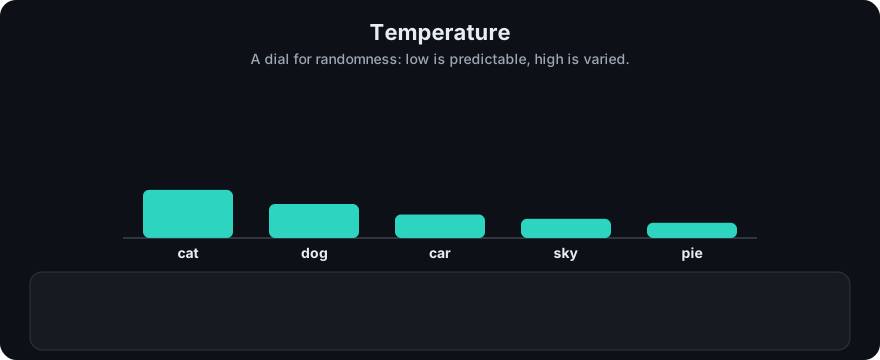
It plays on a loop. Read the caption in the box, one step at a time. Want to go at your own pace? Step through it with Previous and Next.
How it works
p_i = exp(logit_i / T) / sum_j exp(logit_j / T)- Get logits from the model.
- Divide every logit by the temperature
T. - Apply softmax.
- Sample a token from the resulting probabilities (often after Top-k or Top-p filtering).
Worked example. After "The capital of France is", logits are Paris 5.0, London 3.2, Rome 2.9, banana 0.5, the 1.0 (from sampling_demo.py):
| T | Paris | London | Rome | banana | the |
|---|---|---|---|---|---|
| 0.2 | 1.00 | 0.00 | 0.00 | 0.00 | 0.00 |
| 0.5 | 0.96 | 0.03 | 0.01 | 0.00 | 0.00 |
| 1.0 | 0.76 | 0.13 | 0.09 | 0.01 | 0.01 |
| 2.0 | 0.50 | 0.20 | 0.18 | 0.05 | 0.07 |
As T → 0, sampling becomes greedy (always the top token). Many APIs treat temperature=0 as "as deterministic as possible", but tiny run-to-run differences can still happen because of how servers batch and compute.
Worked example (by hand, two tokens)
Take just two tokens with logits A = 2 and B = 0. Use e^2 ≈ 7.39 and e^0 = 1.
- T = 1: divide by 1, so the scores stay 2 and 0. Exponentials: 7.39 and 1. Total 8.39. Probabilities: A = 7.39 / 8.39 ≈ 0.88, B = 1 / 8.39 ≈ 0.12.
- T = 2: divide by 2, so the scores become 1 and 0. Exponentials:
e^1 ≈ 2.72and 1. Total 3.72. Probabilities: A = 2.72 / 3.72 ≈ 0.73, B = 1 / 3.72 ≈ 0.27. - The same two logits gave A 0.88 at T=1 but only 0.73 at T=2. Higher temperature moved probability from the favourite to the underdog.
The five-token table above shows the same effect on real numbers.
flowchart LR
    L[logits] --> D["divide by T"] --> S[softmax] --> F[optional top-k / top-p] --> P[sample token]
Code example
From sampling_demo.py (run python 03-llm-concepts/code/sampling_demo.py):
import math

TOKENS = ["Paris", "London", "Rome", "banana", "the"]
LOGITS = [5.0, 3.2, 2.9, 0.5, 1.0]

def softmax(logits, temperature=1.0):
    if temperature <= 0:
        raise ValueError("temperature must be > 0")
    scaled = [x / temperature for x in logits]
    m = max(scaled)                       # subtract max for numerical stability
    exps = [math.exp(x - m) for x in scaled]
    return [e / sum(exps) for e in exps]

for t in (0.2, 1.0, 2.0):
    print(t, [round(p, 2) for p in softmax(LOGITS, t)])
In real projects temperature is a request parameter:
import anthropic
client = anthropic.Anthropic()
msg = client.messages.create(
    model="claude-sonnet-4-5", max_tokens=200, temperature=0.2,
    messages=[{"role": "user", "content": "Extract the invoice total from: ..."}],
)
Check your provider's docs for the allowed range (for example Anthropic accepts 0-1, OpenAI 0-2).
When to use it / when not to
| Task | Suggested temperature |
|---|---|
| Extraction, classification, code, SQL, tool arguments | low (0-0.3) |
| General Q&A, summaries | medium (around 0.3-0.7) |
| Brainstorming, creative writing, varied test data | higher (0.8-1.0+) |
- These are starting points, not rules. Test on your own data.
- Change either temperature or top-p first, not both at once, so you know what caused the effect.
Common mistakes
- Thinking low temperature reduces hallucination. It makes output more consistent, but a consistently wrong answer is still wrong.
- Using high temperature for JSON or tool calls and getting broken output.
- Expecting
temperature=0to give byte-identical outputs forever. - Comparing temperatures across providers as if the scales were identical.
Recap
If you remember only three things:
- Temperature divides the logits before softmax: low sharpens the choice toward the top token, high flattens it.
- It changes how the model picks among options it already scored; it does not add knowledge or accuracy.
- Use low values for exact tasks such as extraction, code and tool calls, and higher values for creative ones.
Interview questions
1. What does temperature do mathematically? <details><summary>Answer</summary> It divides the logits by T before softmax. T below 1 sharpens the distribution toward the top token; T above 1 flattens it. </details>
2. What happens as temperature approaches 0? <details><summary>Answer</summary> The probability of the highest-scoring token approaches 1, so sampling becomes greedy decoding. </details>
3. Which temperature would you use for an agent's tool calls and why? <details><summary>Answer</summary> Low, often 0 or close to it. Tool arguments must be exact and valid; randomness only adds errors. </details>
Go deeper
- The Curious Case of Neural Text Degeneration (Holtzman et al., 2019)
- Anthropic Messages API reference
Prev: Context Window · Next: Top-k · Back to phase: Phase 3